NomNom Stats – Calorie Tracking App
NomNom Stats is a modern calorie-tracking and wellness companion designed to help users understand their eating habits, plan meals, and maintain a healthier lifestyle. I designed the full mobile experience, including onboarding, goal setup, home dashboard, AI features, scanning functionality, nutritional insights, and reminders.
What is it
NomNom Stats allows users to manage their daily health journey through a set of intuitive tools
Track calories and macronutrients
Plan meals based on personal calorie goals
Log daily water intake
Receive meal reminders
Use AI Chat for meal planning and nutrition guidance
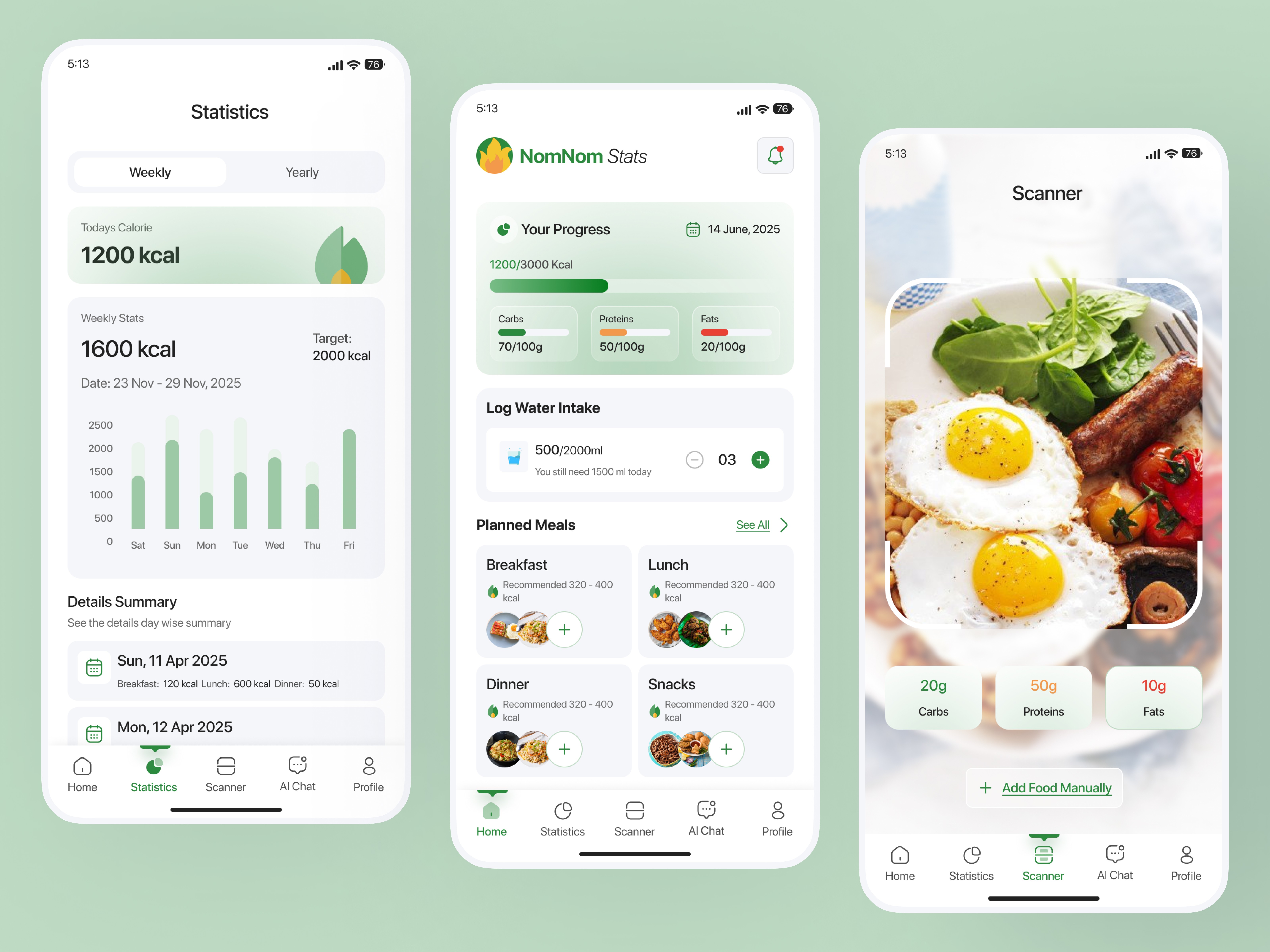
AI-powered calorie scanner that detects calories from food images
In-app notifications
Weekly & yearly statistics to monitor progress
The app was designed to feel friendly, simple, and motivating, making calorie tracking accessible for beginners and enjoyable for daily use.
How I think
My goal with NomNom Stats was to reduce the overwhelm that many users feel with traditional calorie-tracking apps. Instead of complex charts or dense food lists, I designed an experience that feels soft, clean, and highly guided, helping users focus only on what matters making better daily choices
What are the challenges
The main challenges were
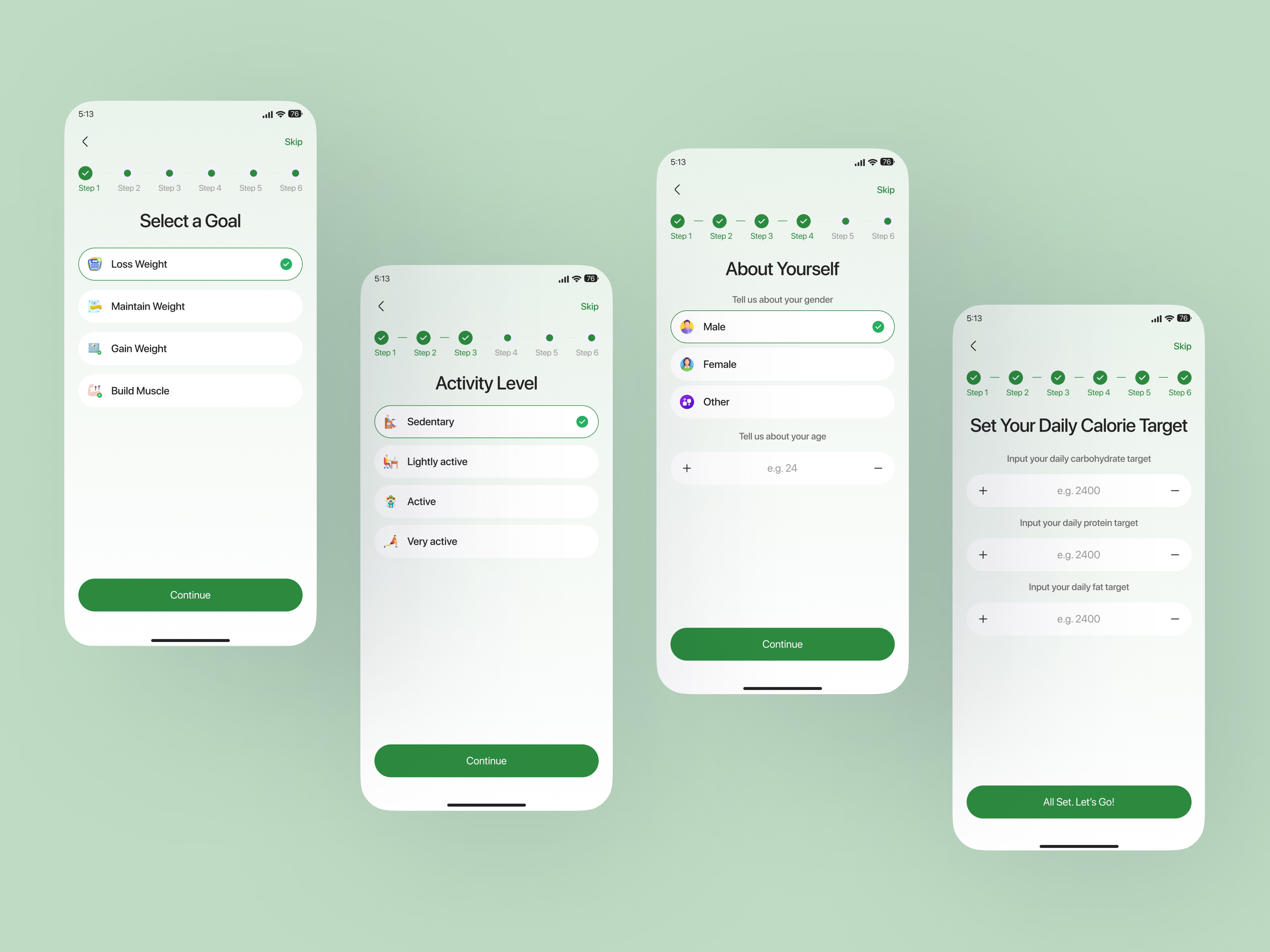
Designing a multi-step onboarding process that collects all essential health data without tiring the user
Presenting nutritional information clearly without overwhelming beginners
Making AI scanning and AI chat feel integrated and natural
Creating a dashboard that serves as both a quick overview and a detailed nutrition assistant
Ensuring the design feels motivating, not stressful
How I solve
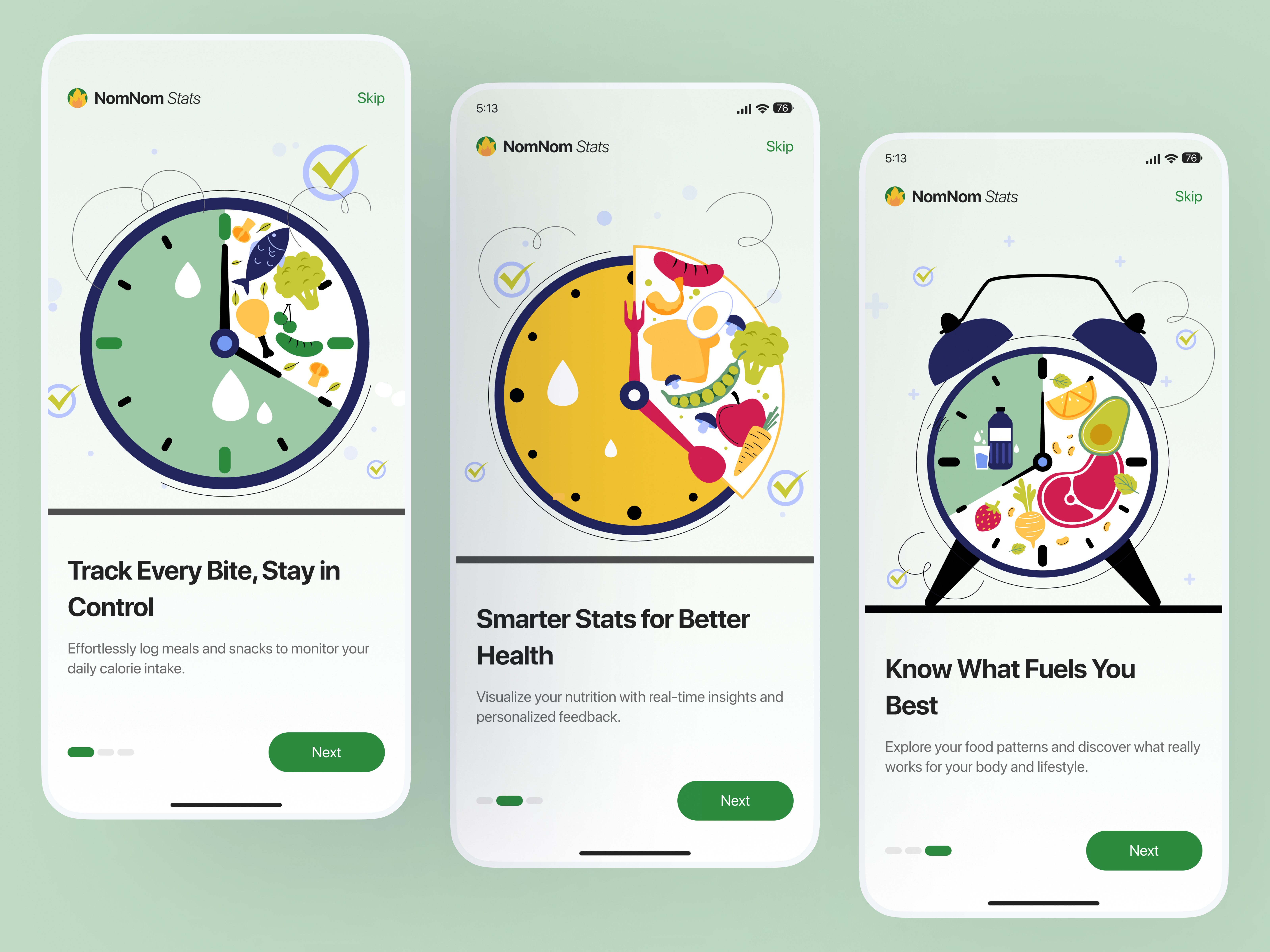
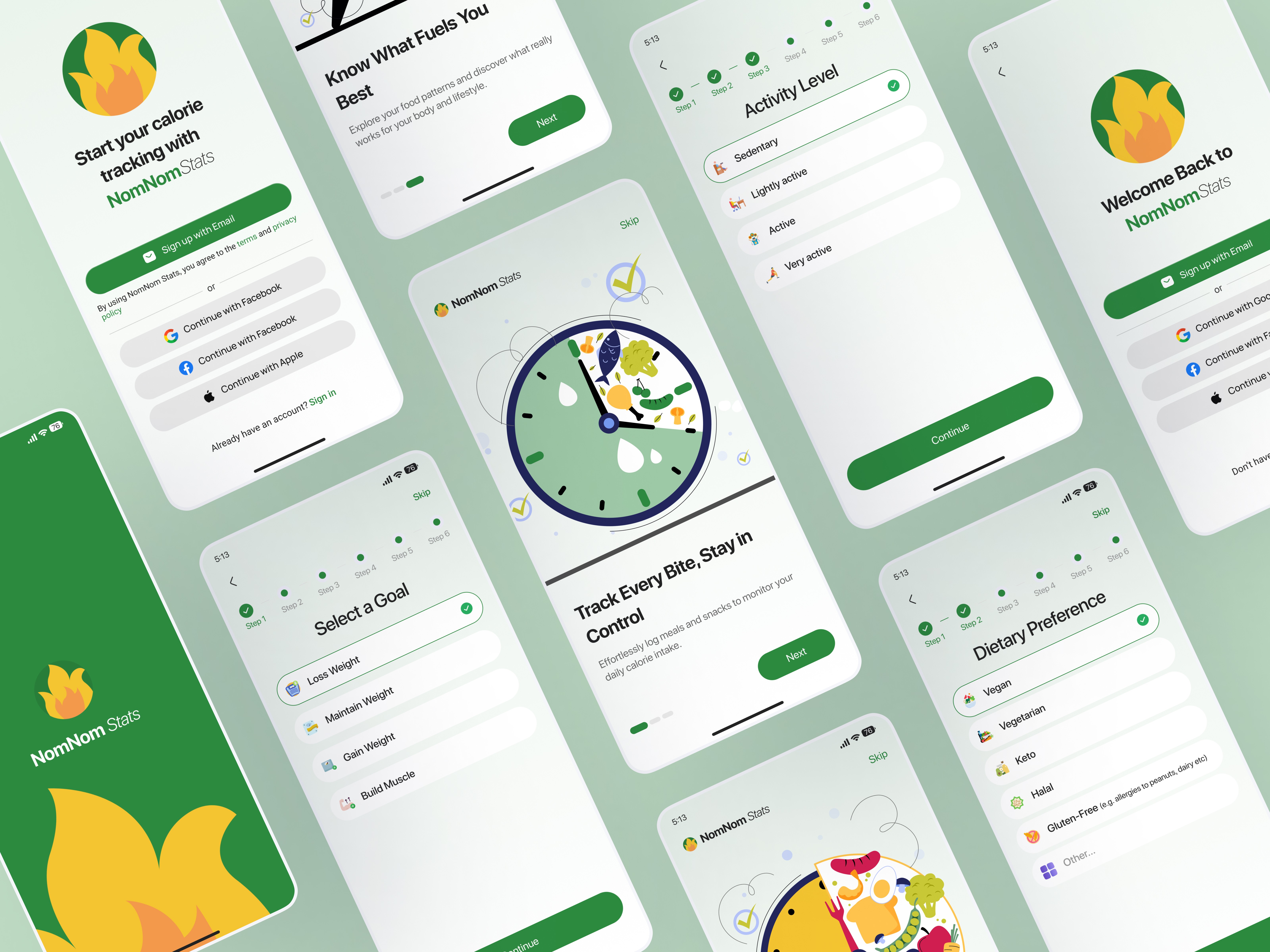
Designed a 6-step onboarding flow with only one focus per screen, reducing cognitive load
Used soft gradients, clear iconography, and minimal text to make information readable
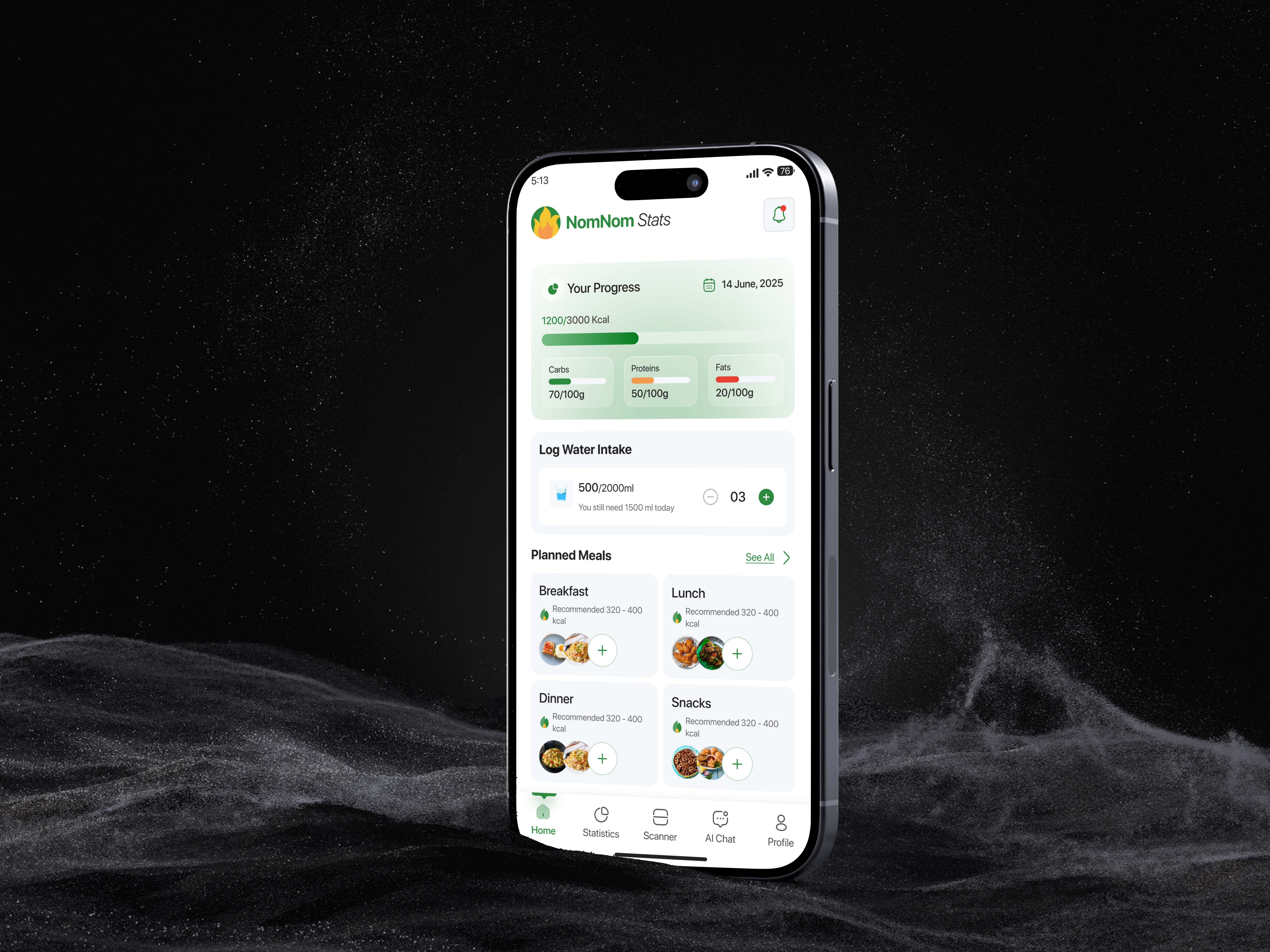
Built a central dashboard that combines progress, water tracking, meal plans, and quick actions
Integrated AI Chat with suggested prompts for easier interaction
Designed the AI scanning interface with visual feedback and real-time macros detection
Added gentle reminder patterns to increase user engagement
The methods I followed
I approached the design through practical UX techniques rather than strict frameworks:
Competitor Analysis – Reviewed top fitness and calorie apps to identify gaps
User Journey Mapping – Planned daily flows: waking up → logging meals → scanning food → checking stats
Wireframing – Built low-fidelity sketches for each step of the experience
High-Fidelity UI Design – Developed a calming, wellness-driven design system
Prototyping – Crafted interactive prototypes to validate flows and micro-interactions
Iteration – Refined based on test feedback and visual clarity needs
Final design
The final screens include:
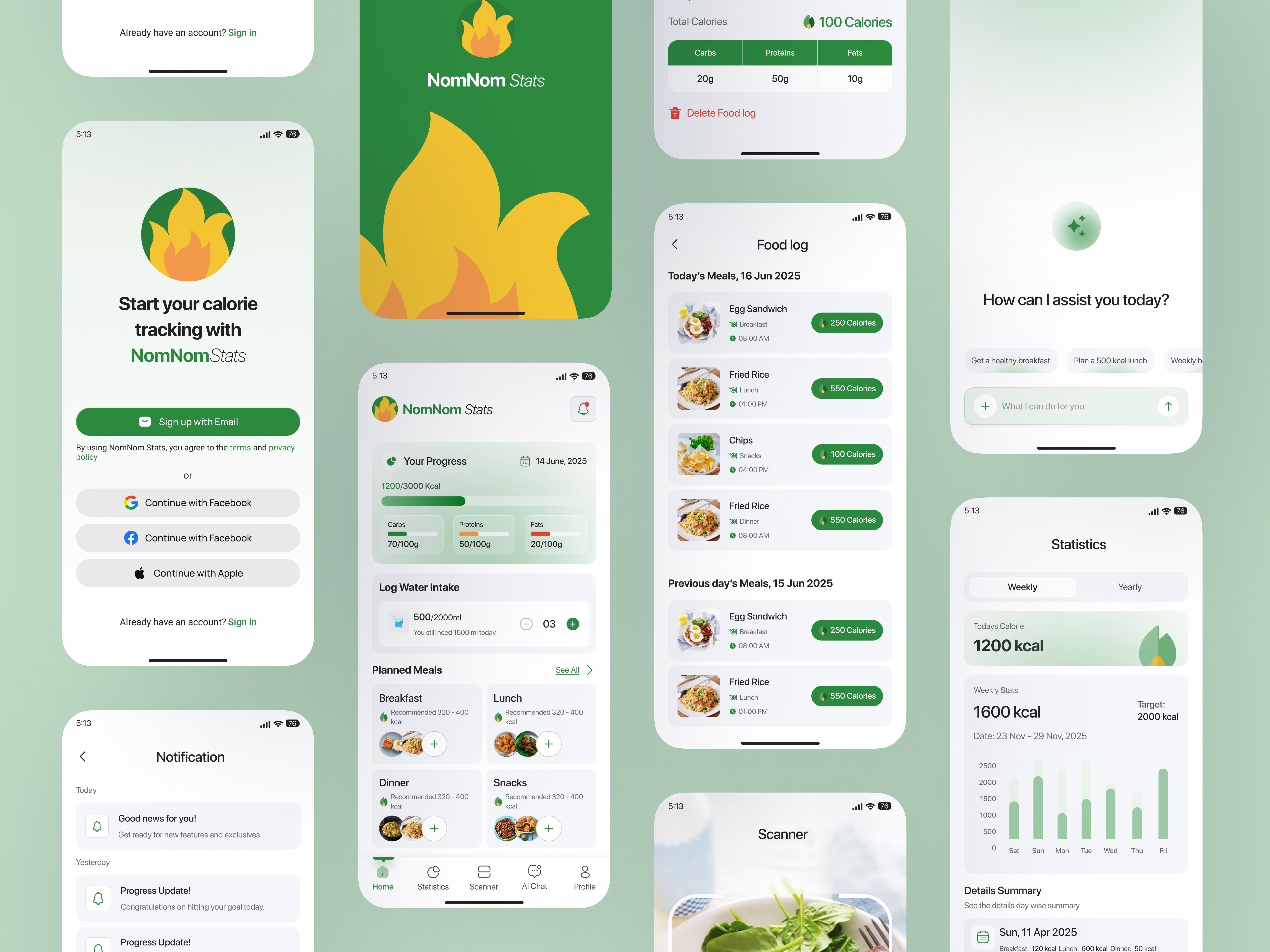
Onboarding Flow: Goal selection, activity level, dietary preference, calorie target
Home Dashboard: Daily calories, macro breakdown, water intake, meal plans, quick add food
Scanner: AI-powered calorie and macro detection using camera
AI Chat: Smart suggestions, nutrition planning, and personalized meal advice
Food Log: Add and review meals throughout the day
Statistics: Weekly and yearly calorie activity overview
Notifications: Gentle reminders for meals, water intake, and progress updates
User Profile management
Settings
The interface uses a green wellness-focused color palette, soft illustrations, and clean typography to create a positive emotional experience.
Usability testing
Informal usability sessions revealed important insights:
Clear guidance: Users appreciated the step-by-step onboarding
AI Scanner: Felt exciting and reduced manual entry friction
Home Layout: Quick access to water logging and meal planning improved usability
Stats Page: Users liked seeing weekly progress instead of overwhelming daily logs
Conclusion
NomNom Stats represents my approach to building simple, guided, and enjoyable health experiences. By combining intuitive design, AI assistance, and visually calm UI, the app helps users stay consistent with their health goals without feeling pressured.
This project strengthened my skills in mobile UX, AI-driven feature design, and behavior-friendly interaction patterns.